DS Service Box walkthrough: build data and bodywork (video)
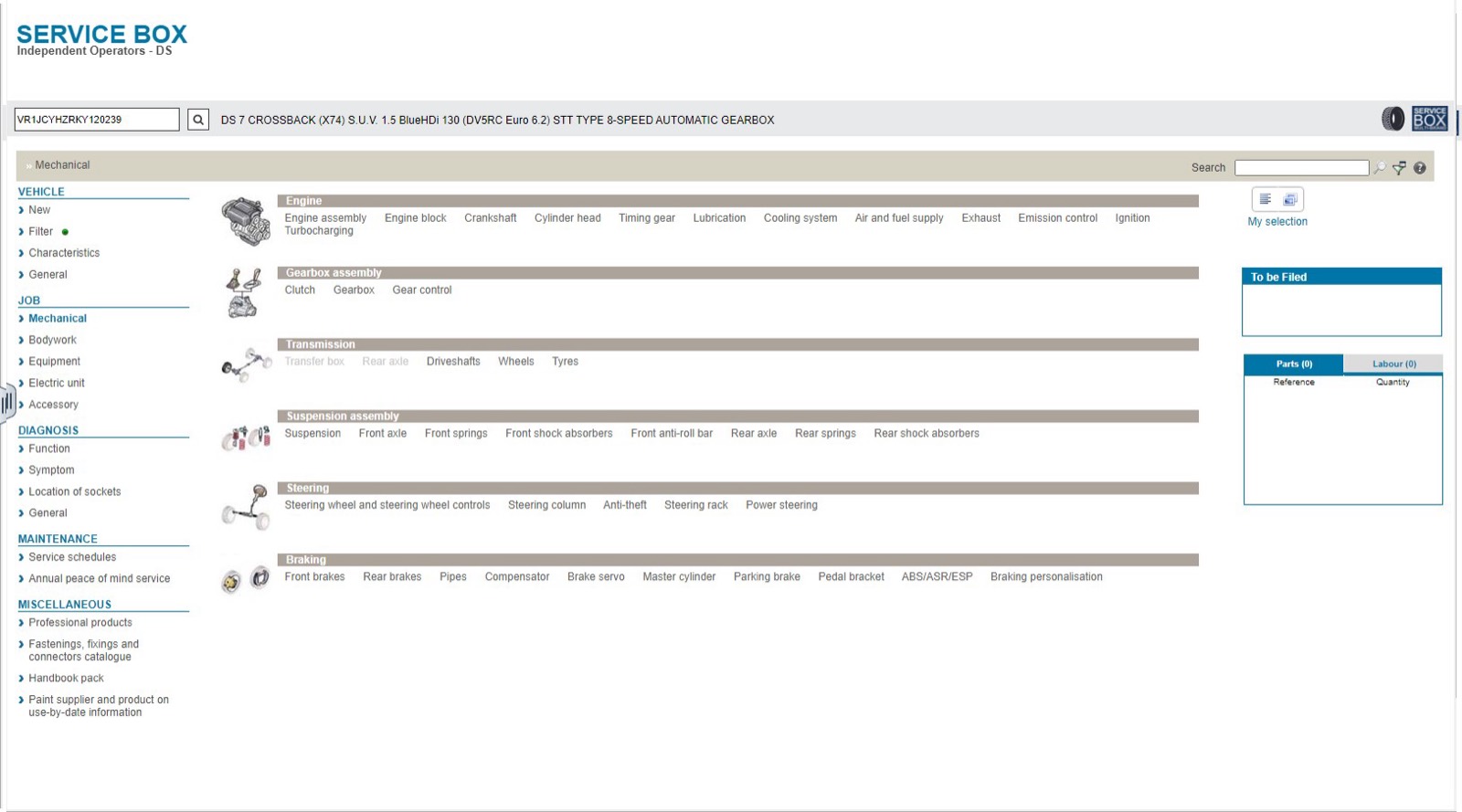
This 26-second screen recording shows the DS edition of Service Box, the catalog behind the DS page on VINsearch. The vehicle, a DS 7 Crossback, is already identified by its VIN when the recording starts. It moves from the Mechanical functions to the vehicle characteristics and ends on the Bodywork function list.
What happens in the recording
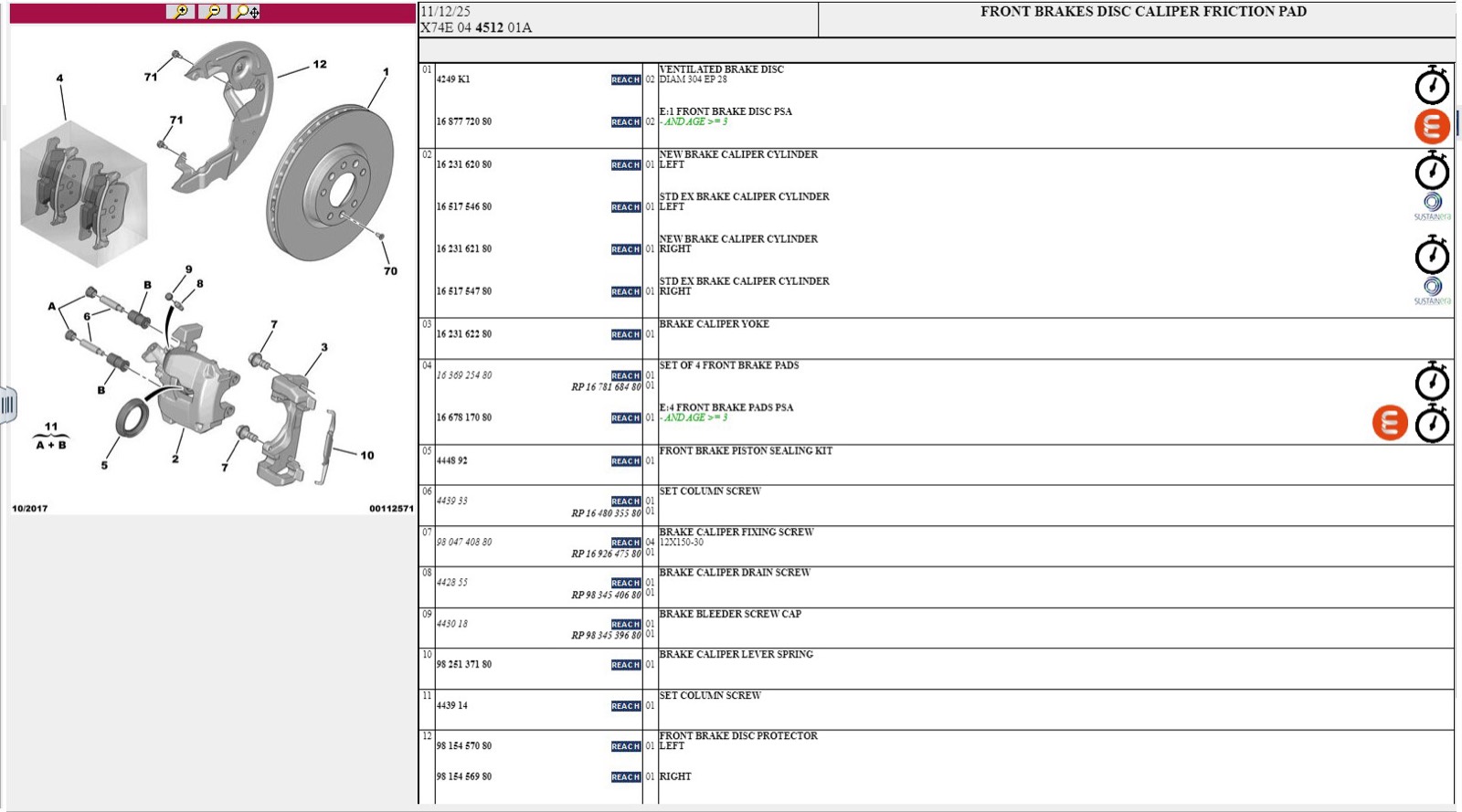
- 0:00 The Mechanical page is open at Braking, Front brakes, with the front brakes disc caliper friction pad document listed by title, application and supplier.
- 0:10 Suspension, under Suspension assembly, is selected.
- 0:12 Characteristics lists vehicle family, warranty start date and engine serial number, then general information such as silhouette, engine, transmission and paint.
- 0:24 Bodywork shows its sections: front, rear and side sections, front and rear doors, roof and headlining, and body.
What you see on screen
- A header with the VIN field and the decoded model, engine and 8-speed automatic gearbox.
- Collapsible characteristic sections for fuel supply and engine, gearbox and transmission, suspension, steering and brakes, body and interior fittings, electrical and component manufacturers.
- A To be Filed panel with Parts and Labour tabs.
- The recording stays on function lists and vehicle data; it does not open a parts plate.
Screenshots
Open DS Service Box yourself
This is the catalog you work in on VINsearch, in the browser, by VIN. A Day Pass is $5 and opens all 53 catalogs.
Open the catalog