BYD EPC walkthrough: VIN to chassis parts (video)
This 23-second screen recording shows the BYD parts catalog working from a VIN. A VIN analysis identifies a Destroyer 05, and the recording opens chassis figures for the exhaust system, drive shaft and rear subframe before it ends in the auxiliary material group.
What happens in the recording
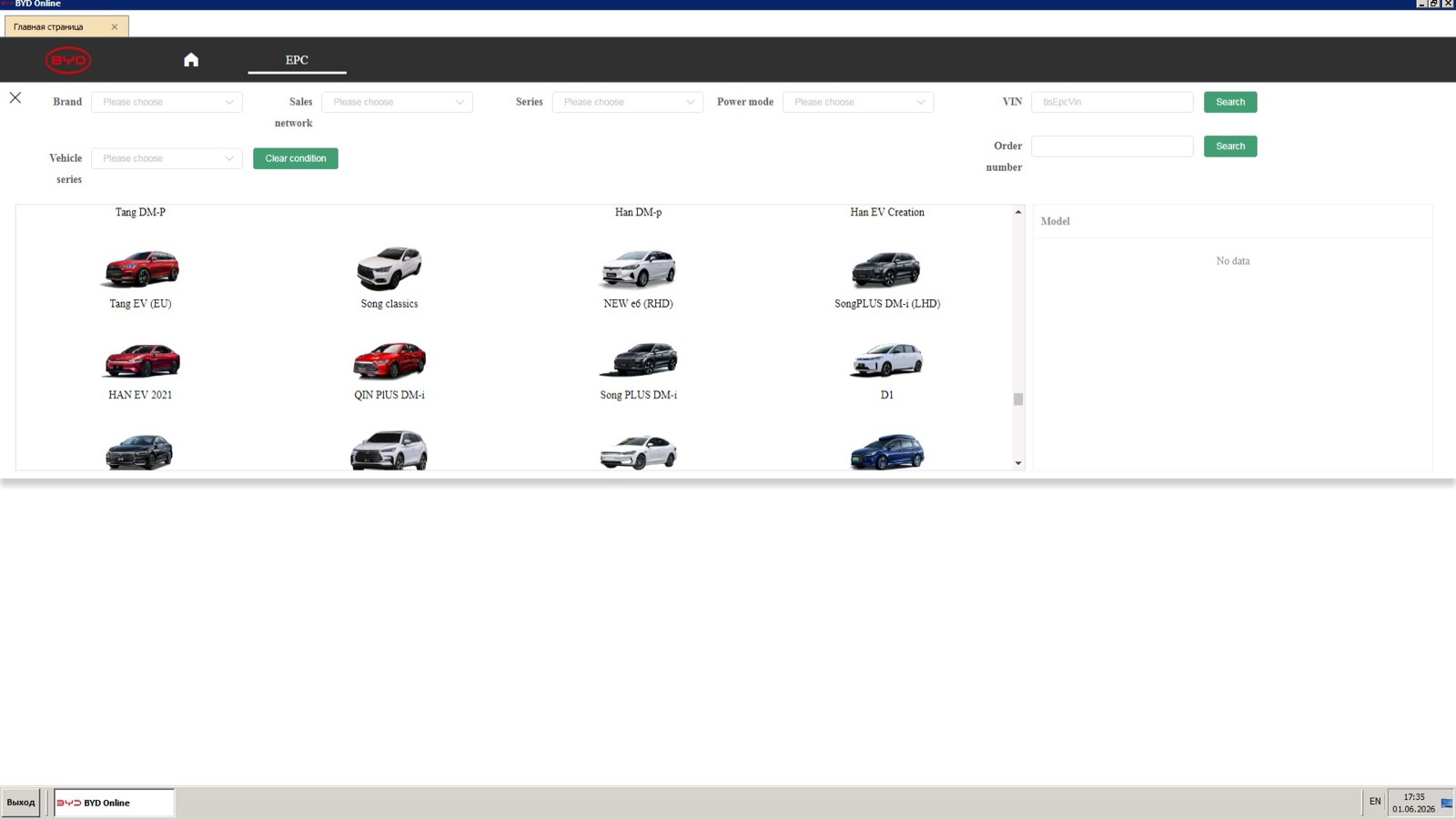
- 0:00 The EPC start page has brand, sales network, series, power mode and vehicle series filters, VIN and order number searches, and model tiles.
- 0:04 A VIN goes into the VIN field and the search runs.
- 0:06 A VIN analysis panel shows vehicle series, model, gearbox, engine and color, with an Enter EPC button.
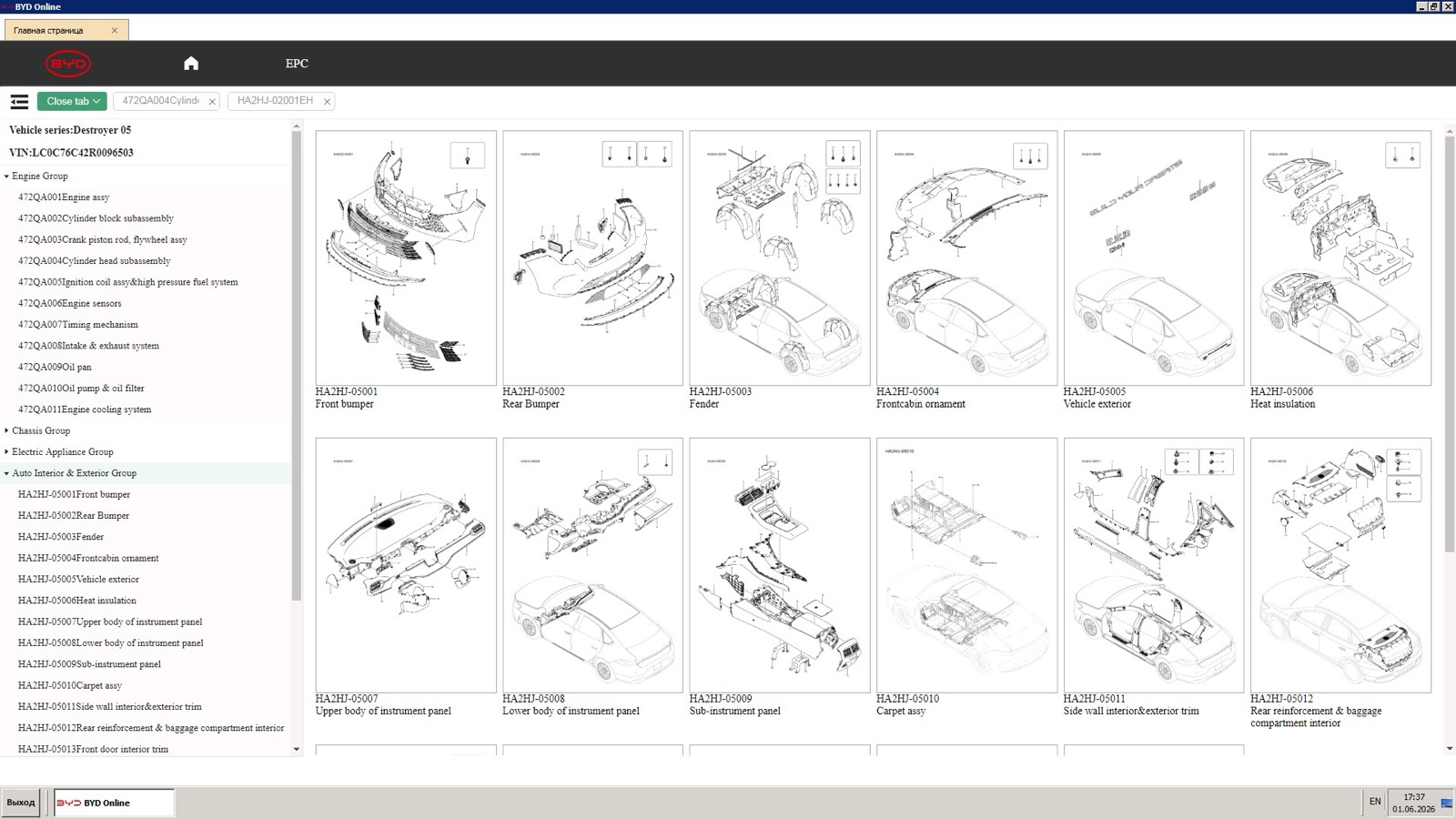
- 0:08 The EPC opens with a group tree on the left, and the chassis group shows its figures.
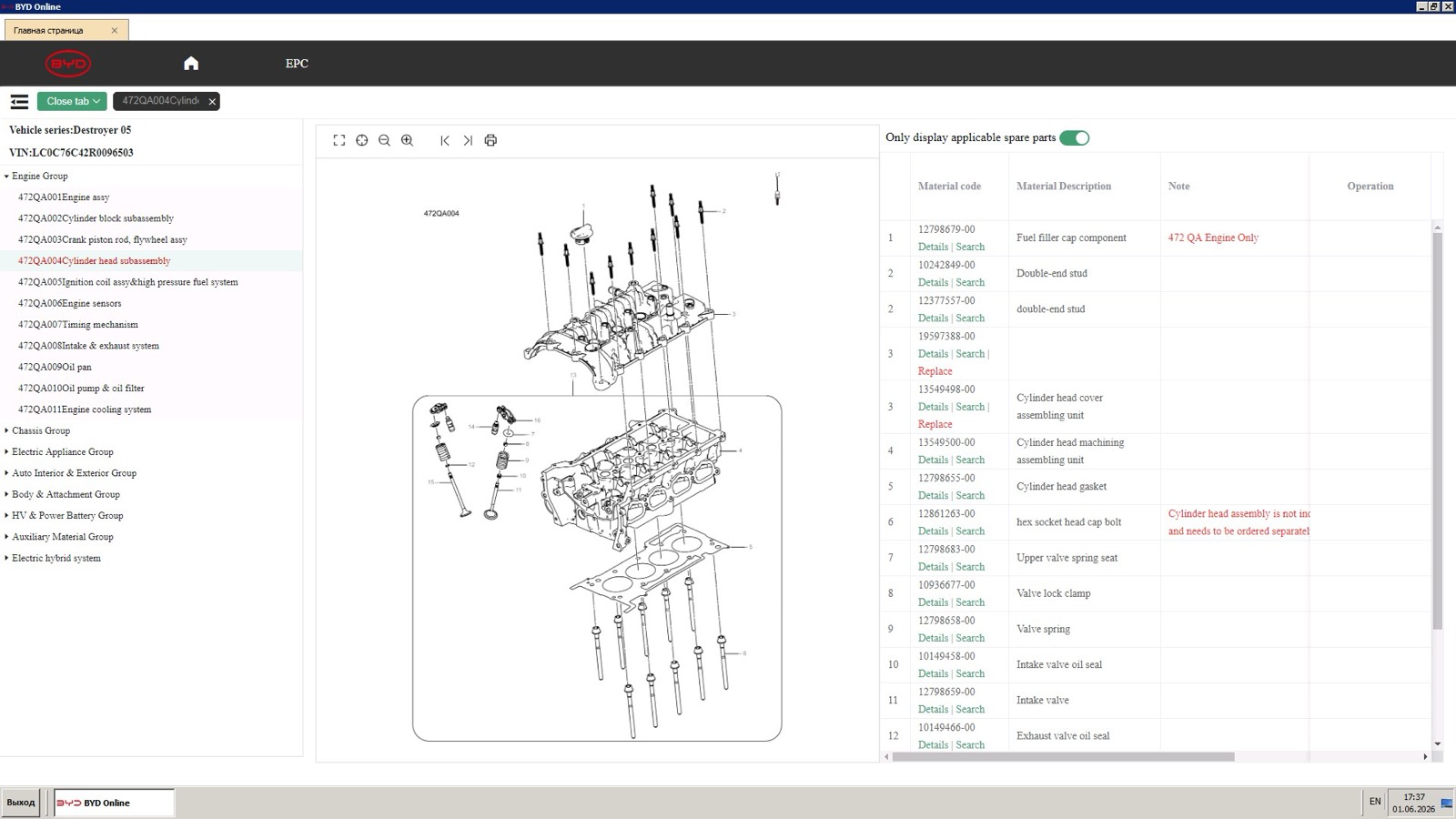
- 0:11 The exhaust system figure opens in its own tab with the part table beside it; the drive shaft and rear subframe follow.
- 0:19 The auxiliary material group shows maintenance parts and an on-board charging device.
What you see on screen
- Top-level groups: Engine, Chassis, Electric Appliance, Auto Interior and Exterior, Body and Attachment, HV and Power Battery, Auxiliary Material, and Electric hybrid system.
- Part table columns: Material code, Material Description, Note and Operation, with Details and Search links under each code.
- An Only display applicable spare parts switch above the table.
- Each opened figure gets its own tab, with a Close tab menu.
Screenshots
Open BYD EPC yourself
This is the catalog you work in on VINsearch, in the browser, by VIN. A Day Pass is $5 and opens all 53 catalogs.
Open the catalog