JLR TOPIx walkthrough: VIN to floor pan parts (video)
This 30-second screen recording shows JLR TOPIx, the catalog behind the Land Rover and Jaguar pages on VINsearch. A VIN opens the configuration selector for a Range Rover Sport, and the recording follows the body and chassis groups to the floor pan parts list and diagram.
What happens in the recording
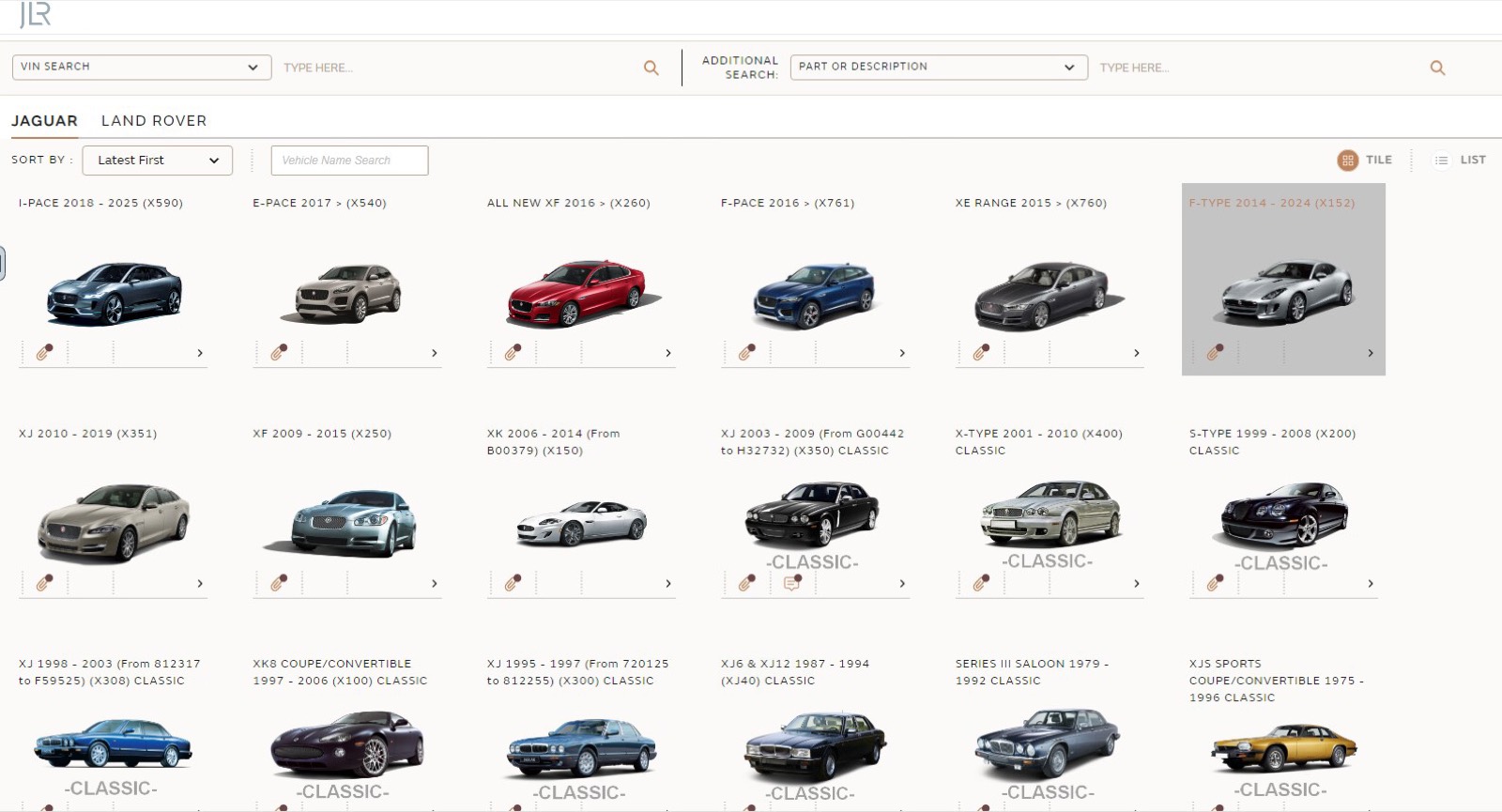
- 0:00 The home screen has VIN search, a part or description search, and Jaguar and Land Rover tabs of model tiles.
- 0:03 The VIN field opens a list of the last 10 VINs, and one is chosen.
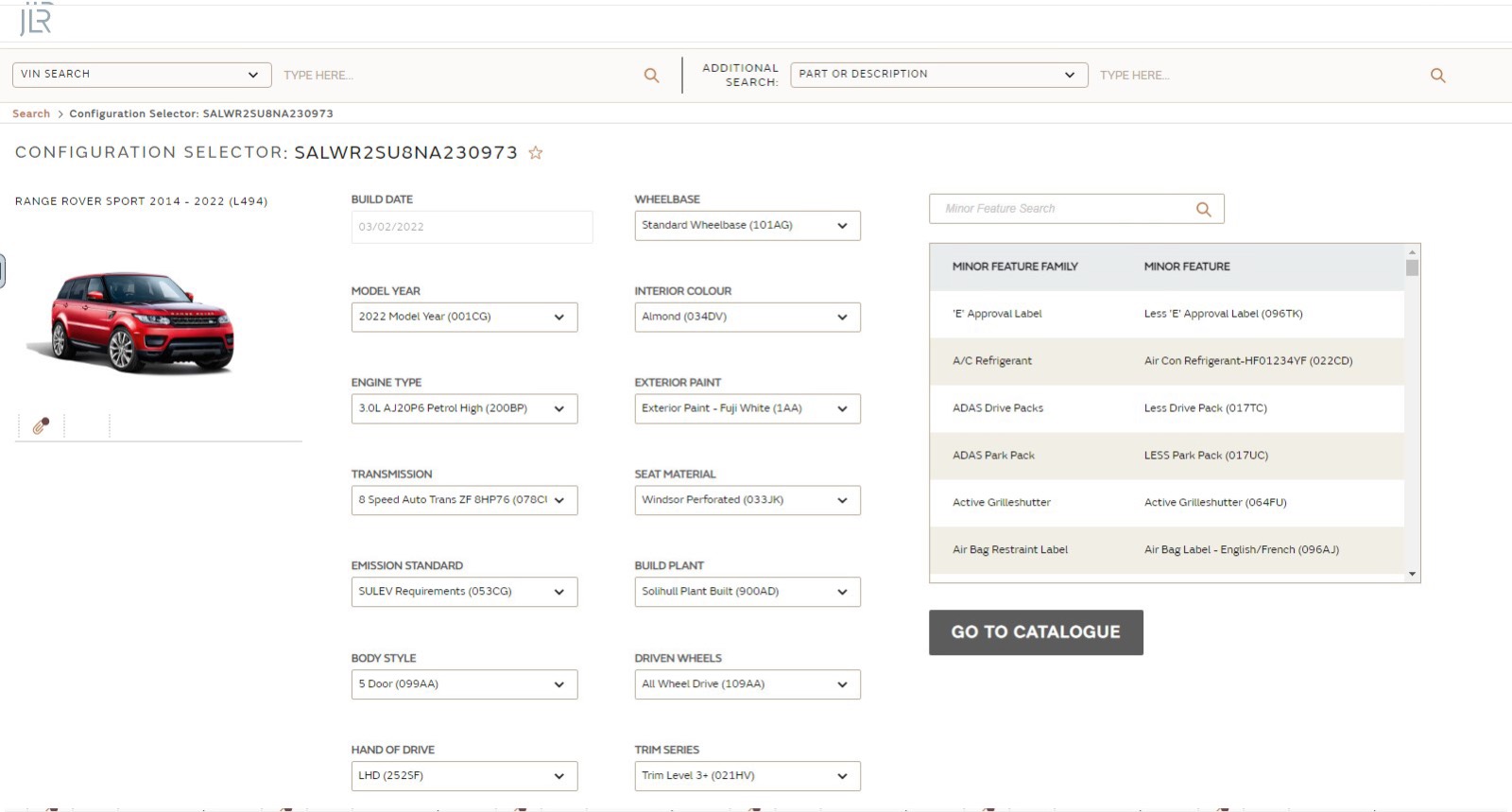
- 0:06 The Configuration Selector shows build date, model year, engine, transmission, body style, hand of drive, paint and trim, plus a minor feature table.
- 0:11 Go to Catalogue opens the major sections as icons, and Body and Chassis is selected.
- 0:14 Subgroup tiles narrow the selection to the floor pan.
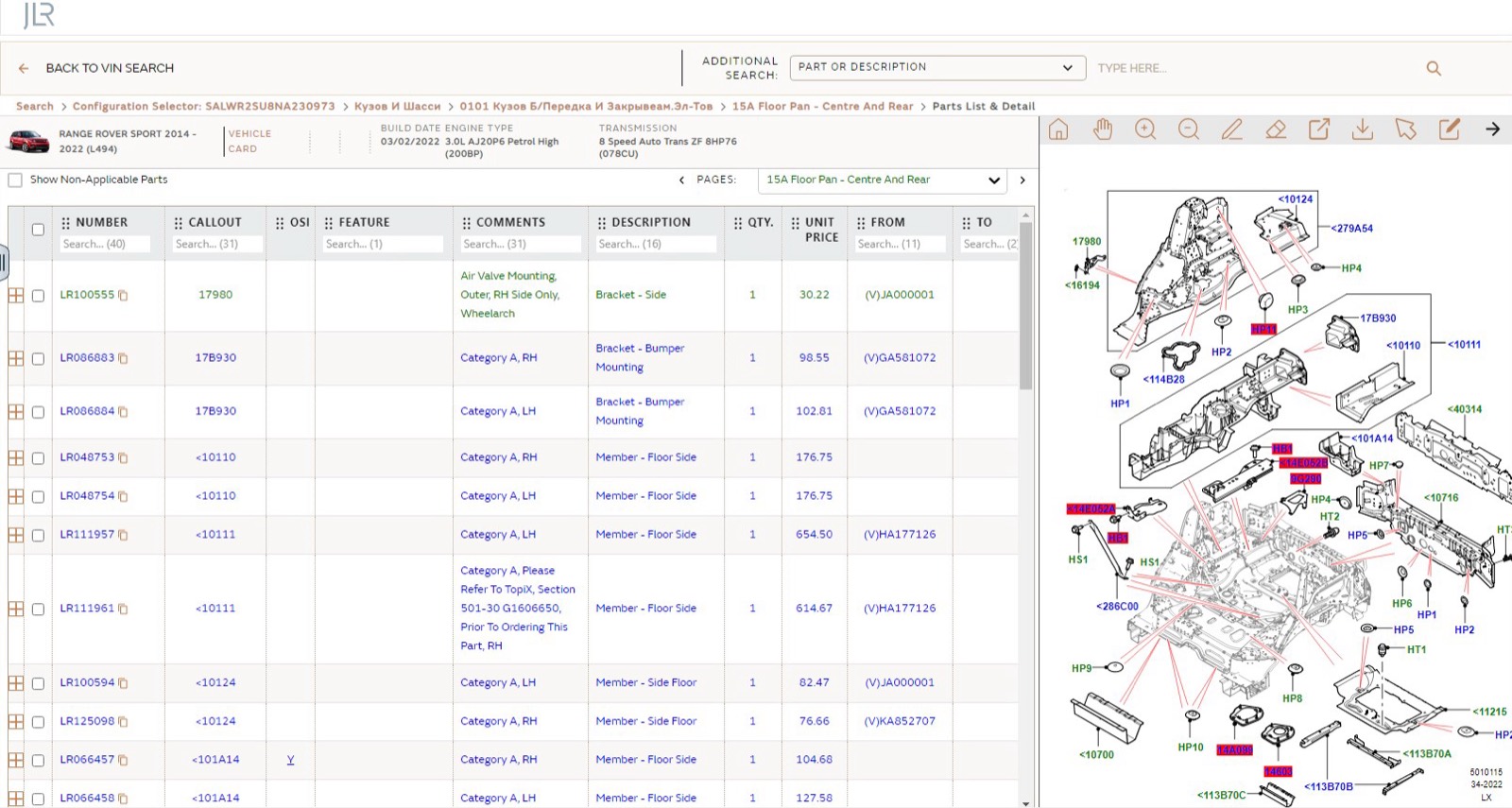
- 0:20 The parts list and detail page loads, with the diagram on the right.
What you see on screen
- Major section icons named after the vehicle’s own build, such as its engine and its 8-speed automatic, next to Body and Chassis, Braking Systems and Seats.
- A Configuration Selector where each build attribute sits in a dropdown with its code.
- Parts list columns: Number, Callout, OSI, Feature, Comments, Description, Qty, Unit Price, From, To and Info.
- A Show Non-Applicable Parts checkbox and a pages selector above the list.
Screenshots
Open Land Rover EPC yourself
This is the catalog you work in on VINsearch, in the browser, by VIN. A Day Pass is $5 and opens all 53 catalogs.
Open the catalog