Ford Microcat walkthrough: VIN to rear suspension (video)
This 28-second screen recording shows Ford Microcat, the catalog behind the Ford and Lincoln pages on VINsearch. A VIN search decodes a Mondeo estate, the lettered groups lead to the rear springs and shock absorbers, and the recording ends in Parts Direct Visual Access.
What happens in the recording
- 0:00 The Models screen lists model tiles with platform codes and years, next to Accessories, Motorcraft and Parts Direct Visual Access.
- 0:04 A VIN goes into the VIN Search field.
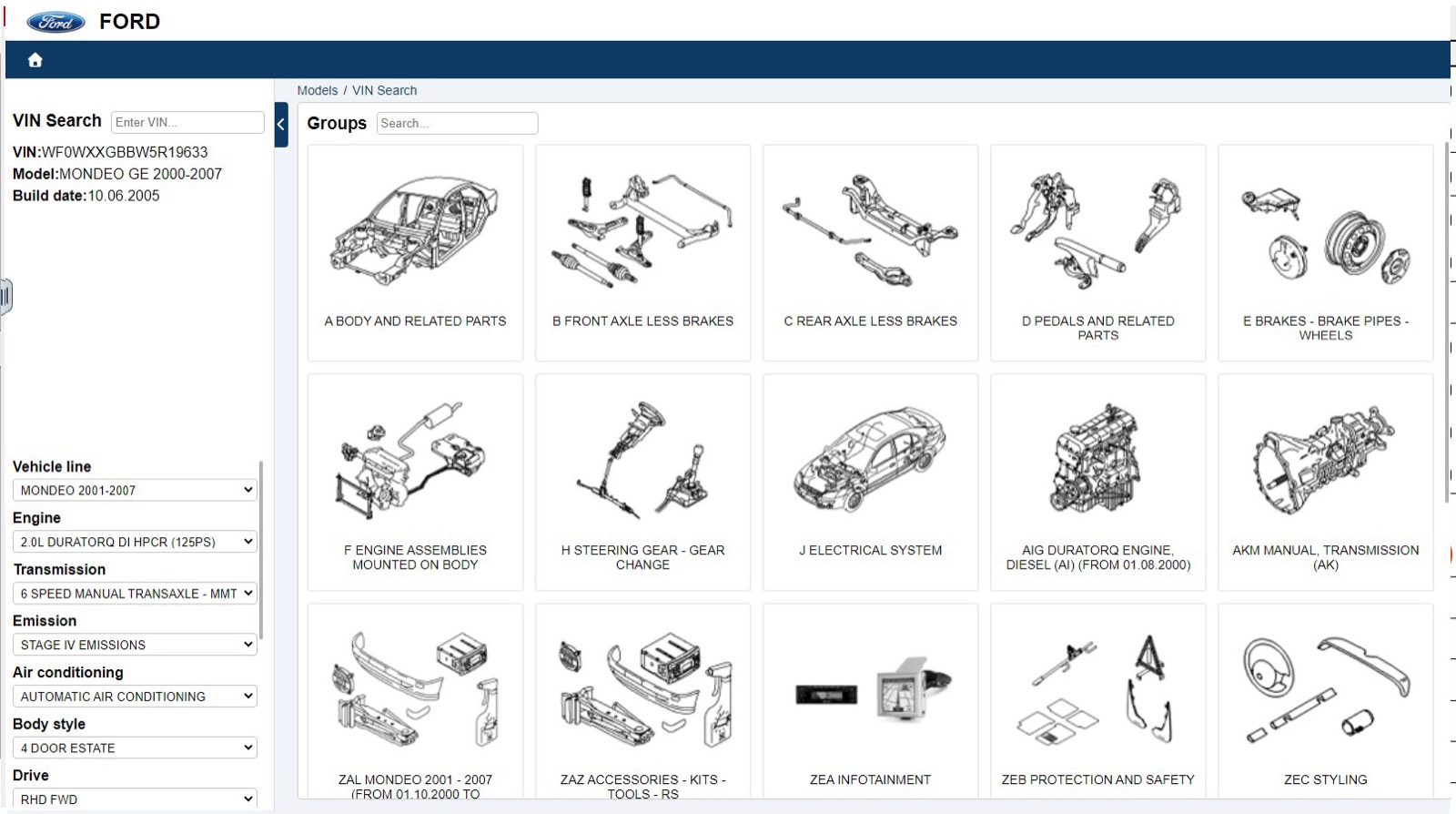
- 0:07 The catalog shows the model and build date, fills in the vehicle attributes and lists the lettered groups.
- 0:11 The rear axle group opens its subgroups, including rear springs and shock absorbers.
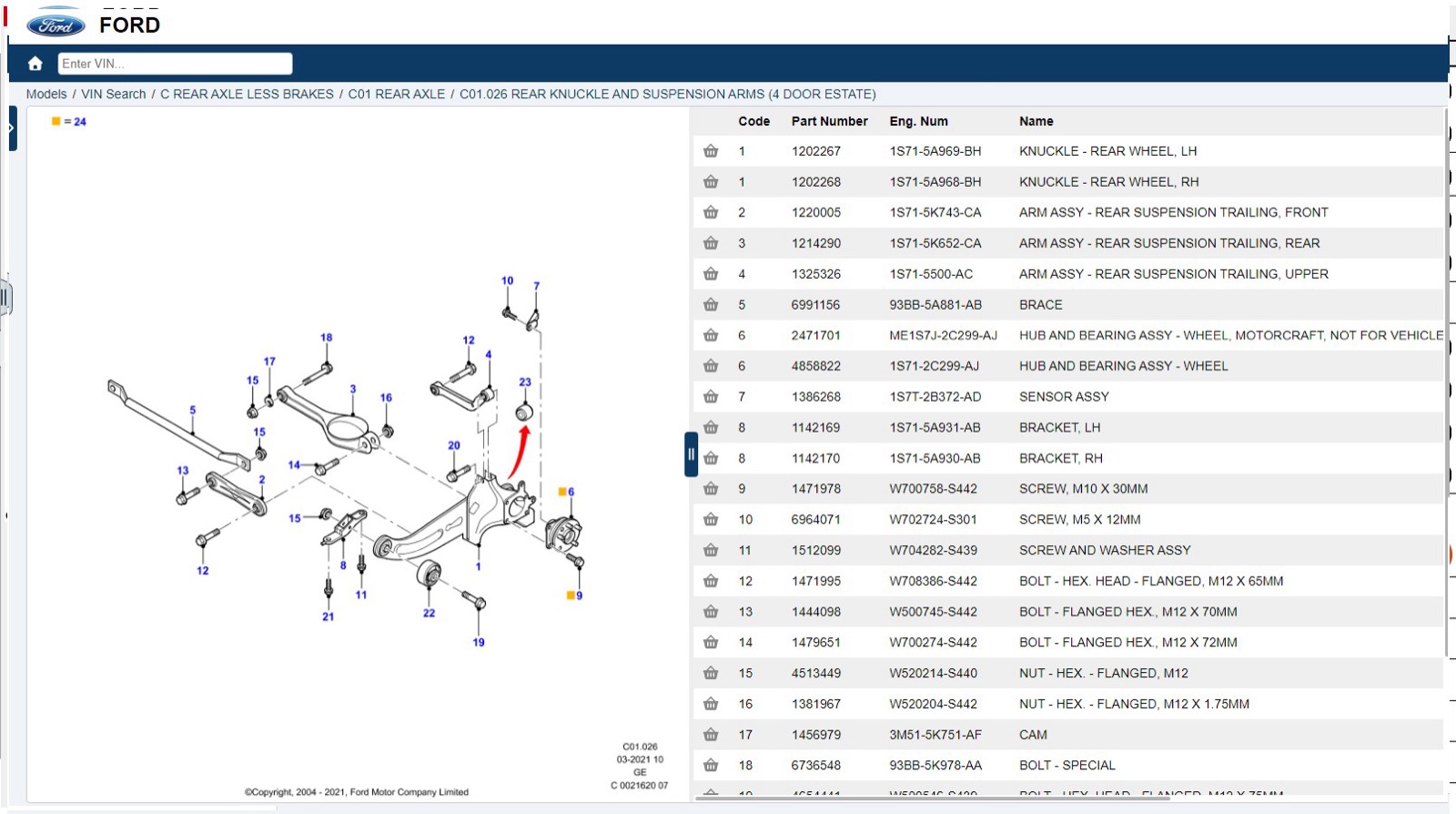
- 0:14 A diagram with numbered callouts sits beside the parts list, then the diagram is zoomed in.
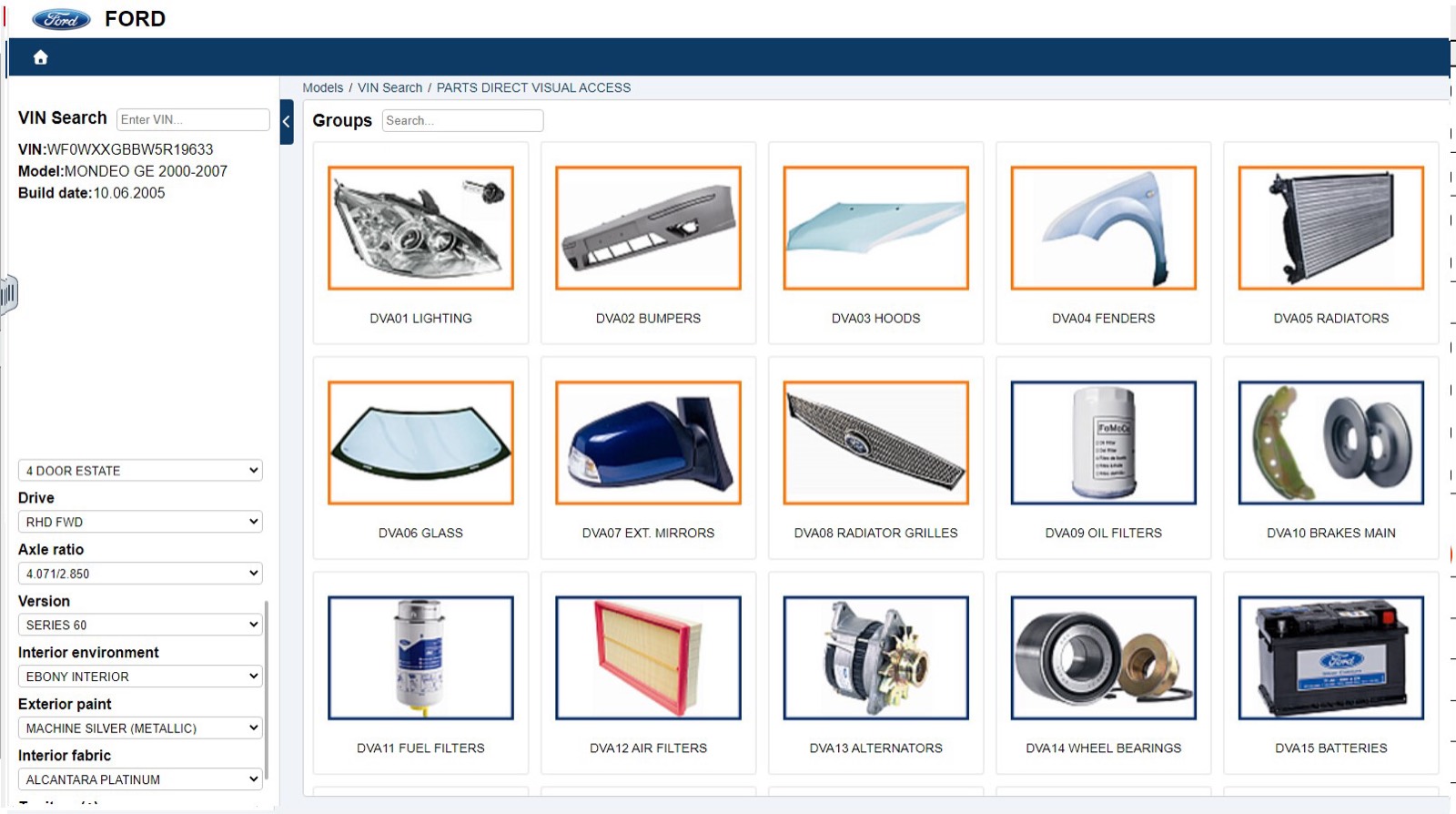
- 0:24 Parts Direct Visual Access shows photo tiles for lighting, bumpers, hoods, fenders, radiators, filters and more.
What you see on screen
- Vehicle attribute dropdowns on the left: vehicle line, engine, transmission, emission, air conditioning, body style, drive and axle ratio.
- Lettered groups such as A Body and related parts, B Front axle less brakes and C Rear axle less brakes.
- Parts list columns: Code, Part Number, Eng. Num, Name and quantity.
- A breadcrumb from Models and VIN Search down to the figure.
Screenshots
Open Ford EPC yourself
This is the catalog you work in on VINsearch, in the browser, by VIN. A Day Pass is $5 and opens all 53 catalogs.
Open the catalog