Renault Dialogys walkthrough: VIN to shock absorbers (video)
This 28-second screen recording shows New Dialogys, the Renault catalog behind the Renault and Dacia pages on VINsearch. A VIN opens a Symbol Thalia, the recording checks its technical criteria, then goes through Axle Assemblies to the front shock absorbers.
What happens in the recording
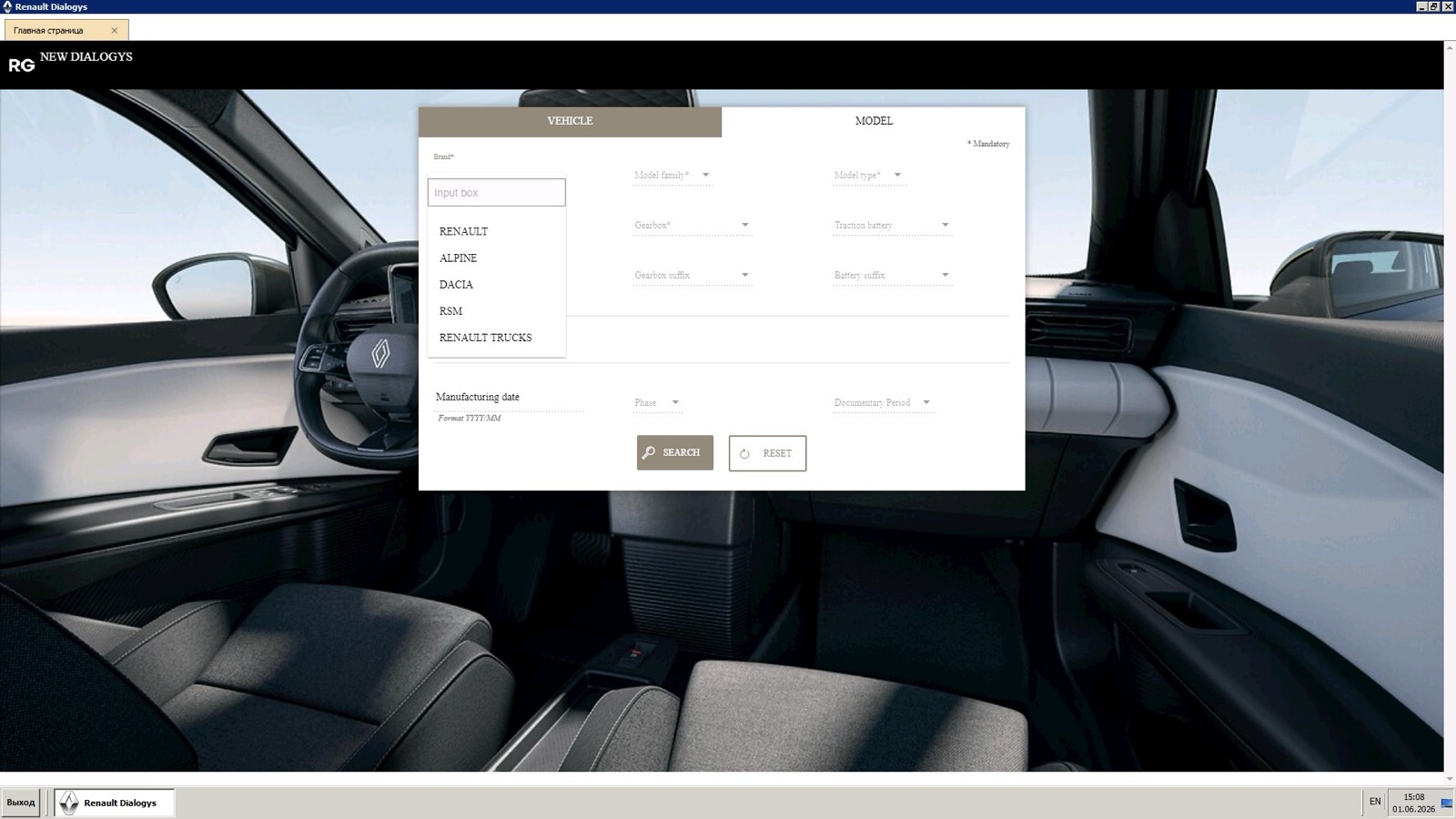
- 0:00 The start screen has Vehicle and Model tabs; a VIN goes into the Vehicle tab and the search runs.
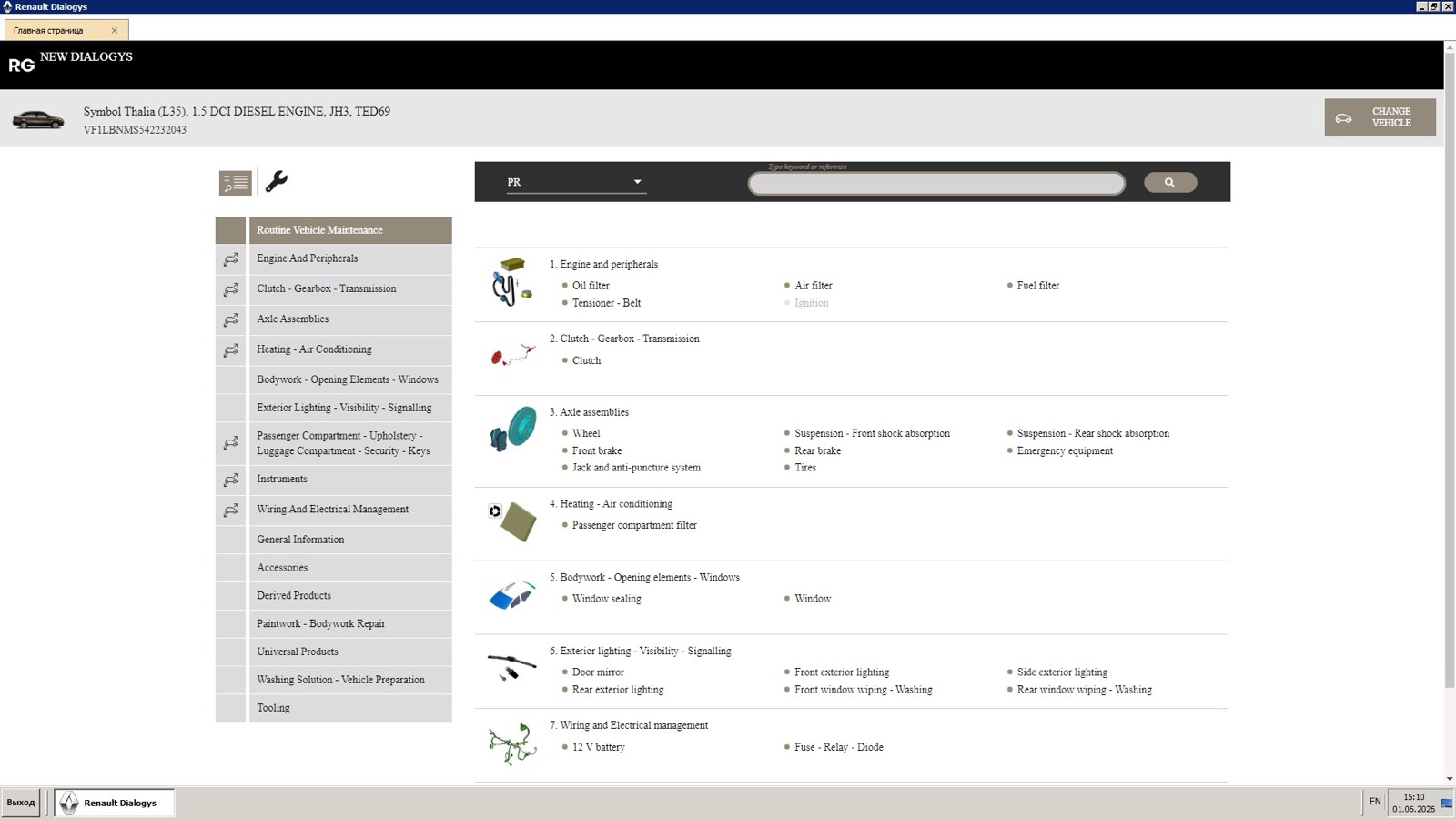
- 0:06 The vehicle header shows the model and engine above the function menu, which starts on Routine Vehicle Maintenance.
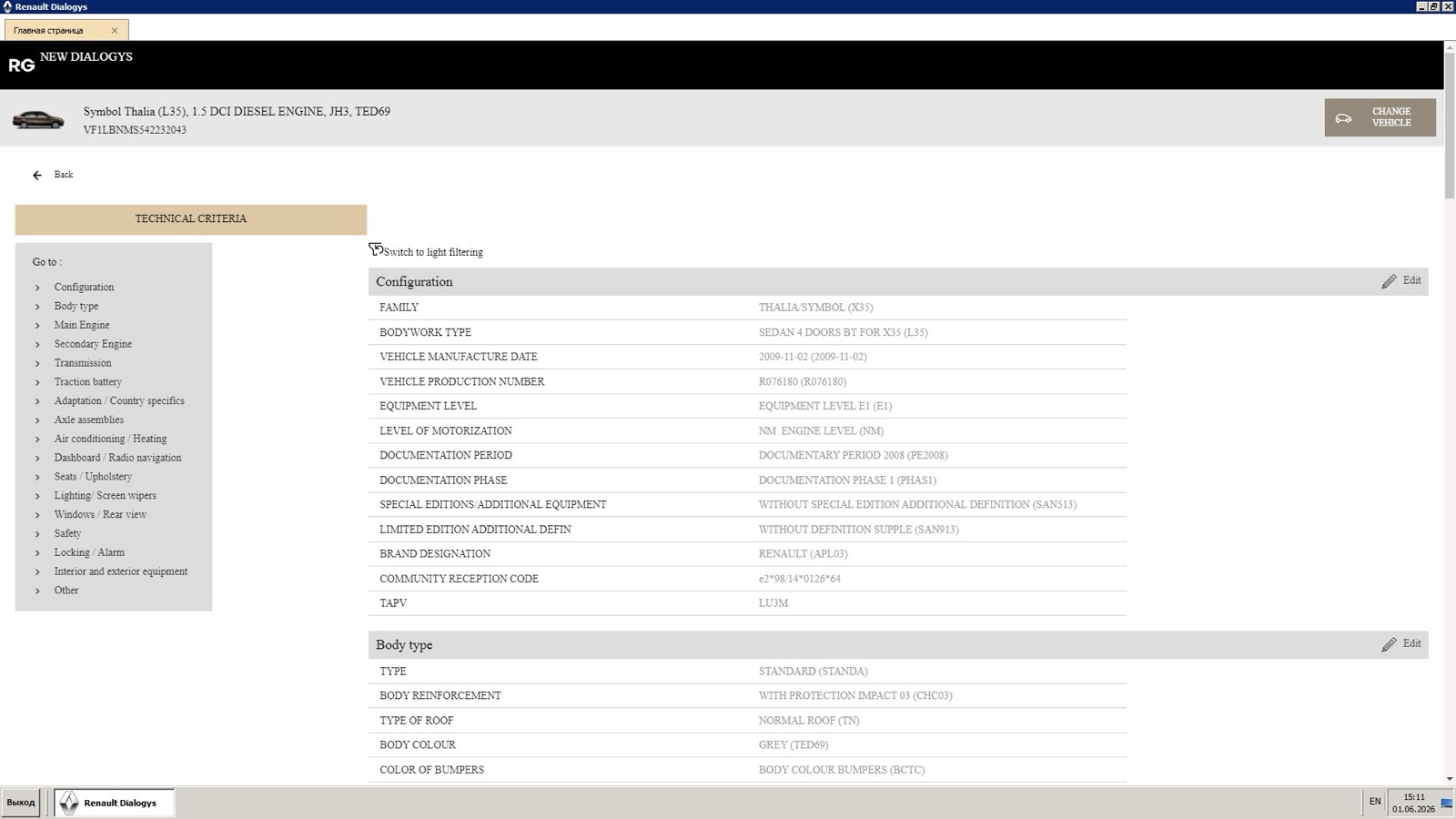
- 0:11 Technical Criteria lists the configuration, body type, main engine, transmission and other build data.
- 0:18 Axle Assemblies opens its functions: front and rear axles, steering and pedal assembly, braking, and repair, puncture and towing.
- 0:20 Suspension, front shock absorption is selected.
- 0:23 The exploded view appears with a numbered list of references and designations, each with a basket button.
What you see on screen
- A function menu on the left, from Engine and Peripherals and Clutch, Gearbox, Transmission down to Paintwork and Tooling.
- A PR dropdown and a keyword or reference search above the function list.
- Technical Criteria with a Go to index: configuration, body type, main engine, transmission, axle assemblies, lighting and more.
- A two-page plate with thumbnails and page arrows under the diagram.
Screenshots
Open Renault EPC (Dialogys) yourself
This is the catalog you work in on VINsearch, in the browser, by VIN. A Day Pass is $5 and opens all 53 catalogs.
Open the catalog