Geely EPC walkthrough: VIN to engine compartment (video)
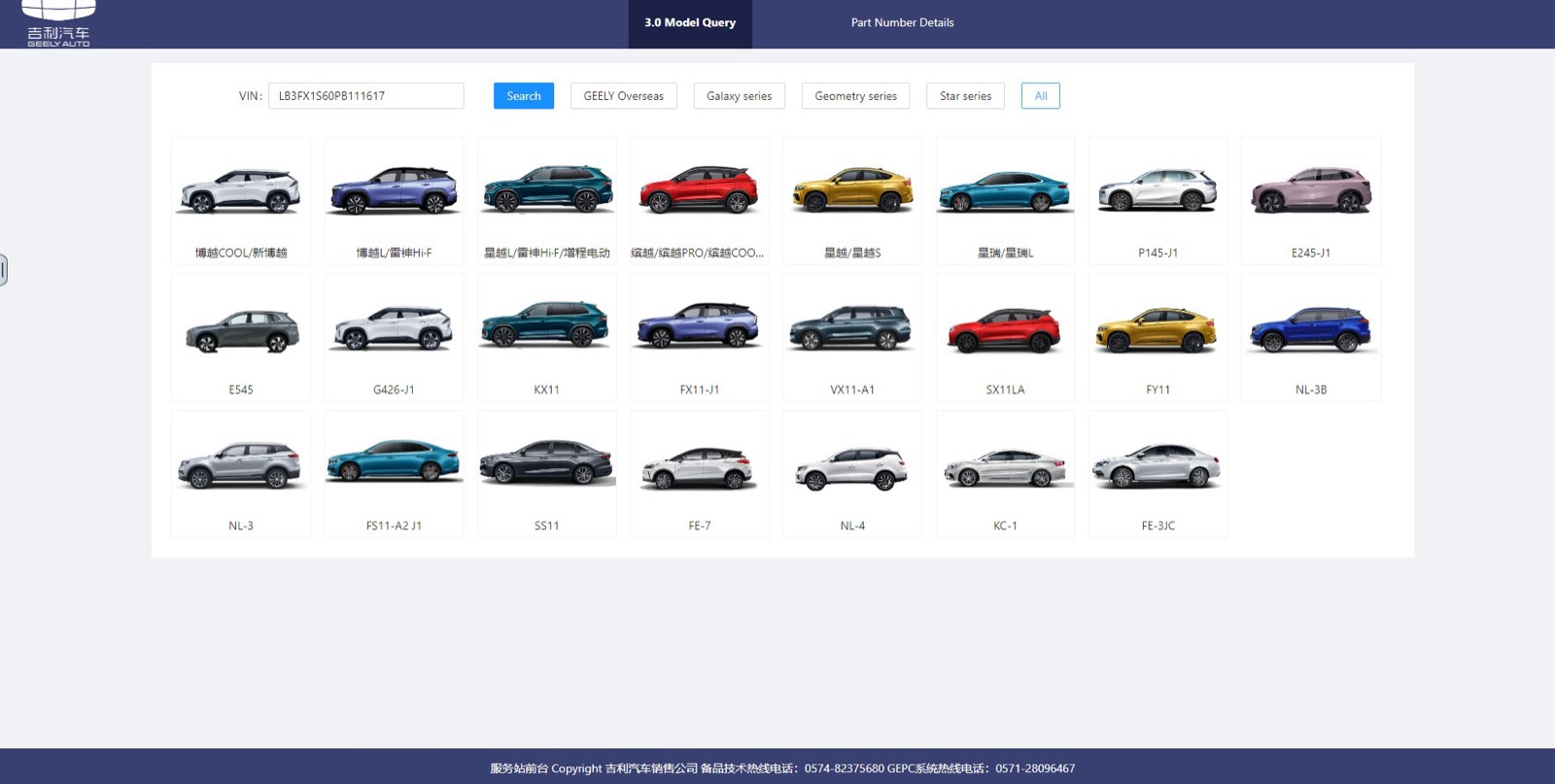
This 22-second screen recording shows Geely EPC working from a VIN. It starts on the model query page, opens the catalog in a new tab and moves across the main group tabs to the engine compartment figure in the Body group.
What happens in the recording
- 0:00 The Model Query page has a VIN field with Search, series filters and model tiles.
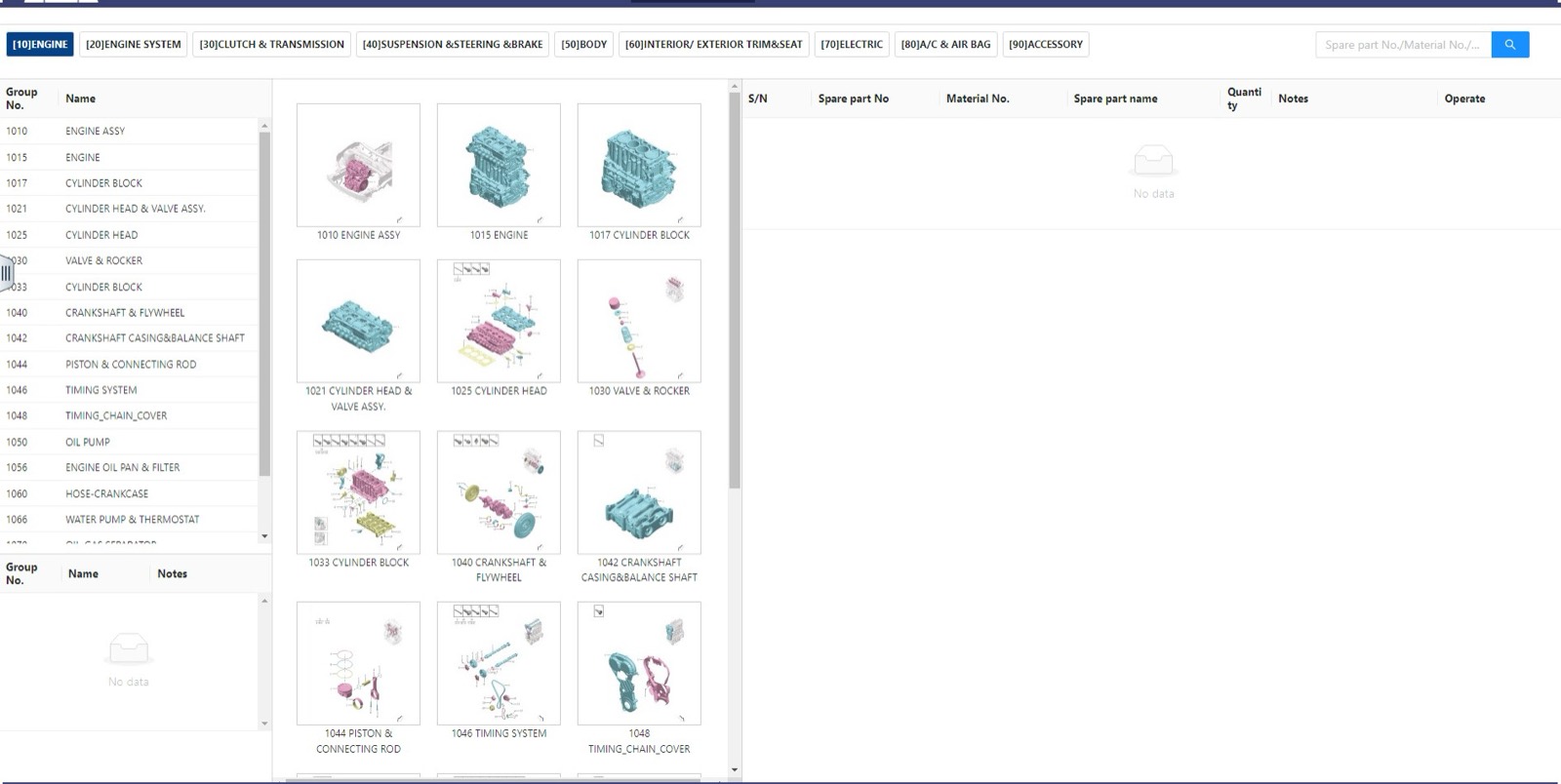
- 0:07 The catalog opens on the Engine tab: a group list, figure thumbnails and an empty parts table.
- 0:12 Clutch and transmission, then suspension, steering and brake, show their own groups and thumbnails.
- 0:16 The Body tab lists its groups with thumbnails.
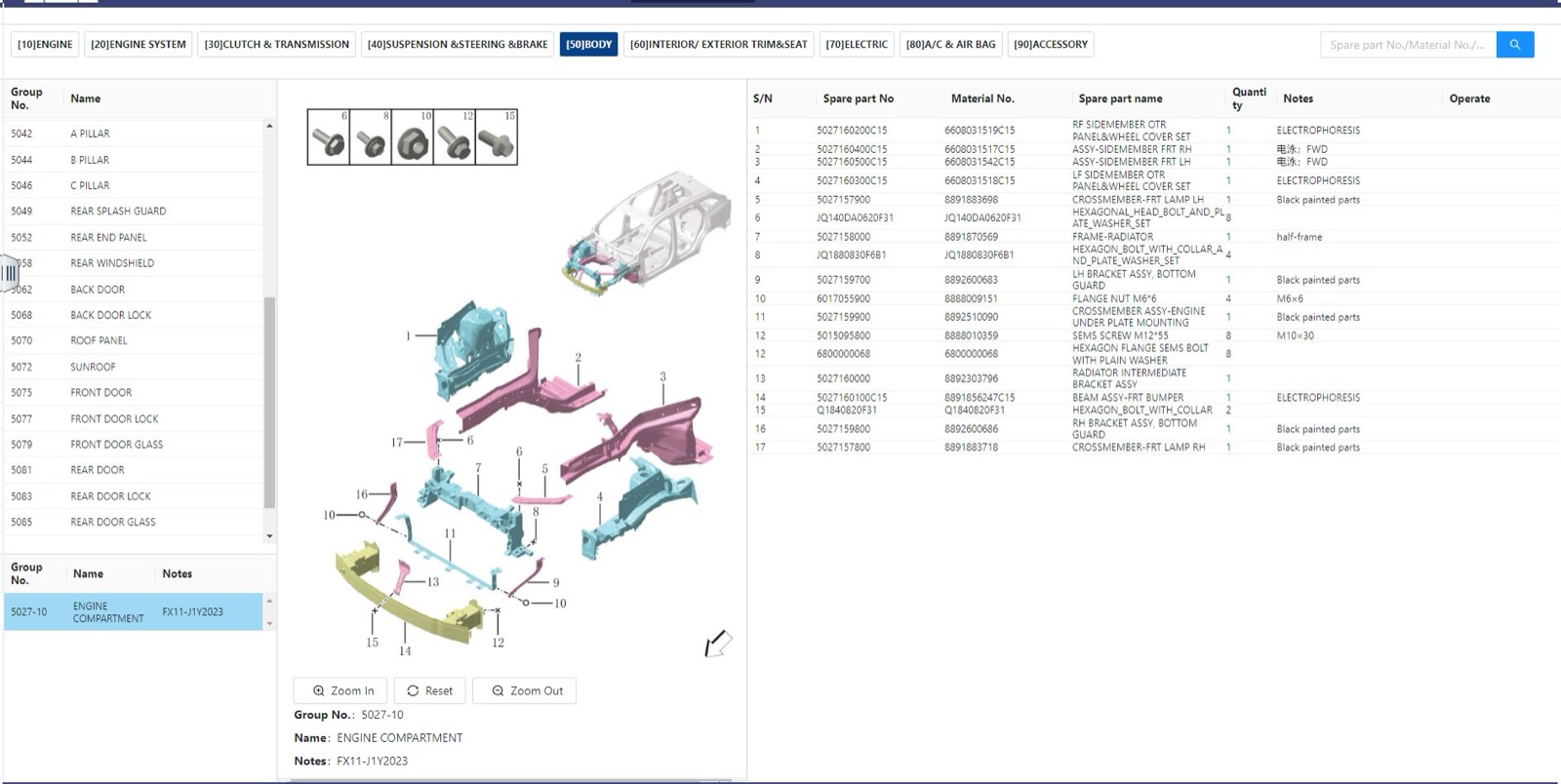
- 0:19 The engine compartment figure opens with zoom controls, group number and notes, and the parts table fills in.
What you see on screen
- Main group tabs: [10] Engine, [20] Engine system, [30] Clutch and transmission, [40] Suspension, steering and brake, [50] Body, [60] Interior and exterior trim and seat, [70] Electric, [80] A/C and air bag, [90] Accessory.
- Parts table columns: S/N, Spare part No, Material No., Spare part name, Quantity, Notes and Operate.
- A spare part or material number search box at the top right.
- Series filters on the start page: Geely Overseas, Galaxy, Geometry and Star.
Screenshots
Open Geely EPC yourself
This is the catalog you work in on VINsearch, in the browser, by VIN. A Day Pass is $5 and opens all 53 catalogs.
Open the catalog